In an eerie (because I just wrote whining about it) coincidence, I sat down in my snuggly chair this morning, fired up my iPad, and lo! Up pops a message:
IOS 5.01 now available. Install?
You bet! Now THAT was easy. Check that one off my why I hate list.
Showing posts with label IPad. Show all posts
Showing posts with label IPad. Show all posts
Monday, March 12, 2012


Thursday, June 2, 2011
iPad Notes: Camera Roll and Connecting to new Networks
I found that the screenshots you take with your iPad (I have version one not iPad2) go to your Camera Roll. I haven't time to try it out this morning, but in order to use your screenshots you need to transfer them to a Mac or PC and use them from there.
Connecting to Public Networks
I find that taking my iPad between home and work confuses the iPad, and it doesn't just detect the new network and away we go.
At the library, I need to go to Settings/General/Reset Network Settings. Then, I need to open Safari ( a new session of it because it gets stuck on a previous sesion for some reason, agree to our user agreement, and all is well.
When I come back home, I have to do this again, then sign back in to my home network with a password.
Cumbersome, but other solutions I Googled got me nowhere.
On the plus side, it didn't make me sign in to iTunes to do any of this.
Connecting to Public Networks
I find that taking my iPad between home and work confuses the iPad, and it doesn't just detect the new network and away we go.
At the library, I need to go to Settings/General/Reset Network Settings. Then, I need to open Safari ( a new session of it because it gets stuck on a previous sesion for some reason, agree to our user agreement, and all is well.
When I come back home, I have to do this again, then sign back in to my home network with a password.
Cumbersome, but other solutions I Googled got me nowhere.
On the plus side, it didn't make me sign in to iTunes to do any of this.
Tuesday, May 31, 2011
IPad Notes
I've had my iPad for a few months and though I didn't use it much at first, I have found it increasingly useful for some things.
Good uses:
Browsing the web.
Good for short entries on social sites.
Very convenient eReader.
Where it fails me:
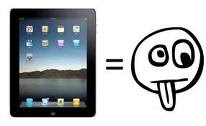
Useless for posting on blog as I cannot copy and paste addresses and pictures as I can in a nice Windows environment.
I tried creating a spreadsheet in Google docs, and find the "mobile version" to be lacking in features such as being able to bring up the keyboard to type in the cells. Also, only the basic document and the spreadsheet were offered as doc types.
Trying to correct mistakes in a post ...aggghh.
Adobe Flash is not supported so many videos cannot be viewed.
The "mobile" versions of many things are just a bit off, including emails which are configured differently for this platform, and again they often "lack some features".
Screenshots are supposed to be possible. Touching the Home button and Power button simultaneously are supposed to do the trick, so they say. I just tried that, and it looked like something happened, but where did it go? How do I find it and put it where I want to go?
Everything is tied to iTunes. You must have an iTunes account do do any sort of updating or adding to your iPad. Any time a program is updated, you can't use it until you sign in to iTunes.
Written on my iPad, corrected on my PC :)
Good uses:
Browsing the web.
Good for short entries on social sites.
Very convenient eReader.
Where it fails me:

Useless for posting on blog as I cannot copy and paste addresses and pictures as I can in a nice Windows environment.
I tried creating a spreadsheet in Google docs, and find the "mobile version" to be lacking in features such as being able to bring up the keyboard to type in the cells. Also, only the basic document and the spreadsheet were offered as doc types.
Trying to correct mistakes in a post ...aggghh.
Adobe Flash is not supported so many videos cannot be viewed.
The "mobile" versions of many things are just a bit off, including emails which are configured differently for this platform, and again they often "lack some features".
Screenshots are supposed to be possible. Touching the Home button and Power button simultaneously are supposed to do the trick, so they say. I just tried that, and it looked like something happened, but where did it go? How do I find it and put it where I want to go?
Everything is tied to iTunes. You must have an iTunes account do do any sort of updating or adding to your iPad. Any time a program is updated, you can't use it until you sign in to iTunes.
Written on my iPad, corrected on my PC :)
Subscribe to:
Posts (Atom)